Twitter Video Downloader (X Downloader)
Paste a Tweet URL to preview and download media (images, videos, GIFs)
XSave is a free Twitter video downloader that lets you save videos, GIFs, and images from tweets in HD as MP4 or MP3. Works instantly on desktop and mobile — no login required.
Xsave - Twitter Video Downloader
Xsave offers users a quick and easy way to download videos and GIFs from Twitter in HD quality. The content you see on Twitter is slightly different from something you come see on your Instagram or Facebook feed. A large number of popular accounts on Instagram that you follow get their content from posting screenshots they took from viral Tweets.
There are times when you come across a really creative tweet containing a video that you wish you could download easilly from twitter but cant. A Twitter Video Downloader could come in really handy at this time.
Xsave makes it a breeze to download Twitter videos in HD. You can save any video from Twitter in just a few clicks. If you plan to repost contents its better as it gives you the image or video in HD quality Also, it’s completely free...
Why Use Our Twitter Video Downloader?
Free & Unlimited
Download unlimited videos, GIFs, and images at no cost without creating an account.
High Quality
Save videos in high definition (MP4) or extract audio as MP3 for offline listening.
Fast & Secure
Instant processing with no personal data required; your privacy is respected.
How It Works
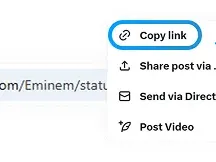
Copy Tweet Link
Open the tweet with the media you want and copy its URL.
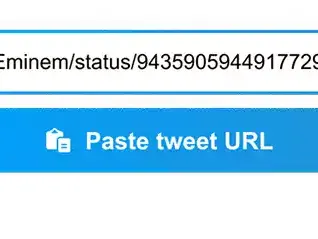
Paste & Preview
Paste the tweet URL into the input above and preview available media.
Download
Choose MP4, MP3, or original format and tap the download link to save.

Supported Devices & Formats
Devices
- iPhone (mobile Safari) — save to Files or Photos
- Android — save directly to device storage
- Windows & Mac — download via browser and open with default media player
Formats
- MP4 (video)
- MP3 (audio extraction)
- GIF and original image formats
Download Guides & Blog
Visit our guides for step-by-step instructions tailored to different devices and use cases. Learn how to save Twitter videos on iPhone, Android, and desktop.
How to Use Twitter Downloader
Paste a tweet URL above and preview the media. You can download images, videos, or GIFs directly to your device.
Frequently Asked Questions
Legal & Safe Use
Use this tool for personal and non-infringing purposes. Respect copyright and the content owner’s rights. We are not responsible for misuse of downloaded content.